Short answer: open Website > Google posts in your workspace and click Write 4 posts. Pack Leader writes 4 ready-to-post updates for your main service in your city: a service spotlight, a seasonal tip, a recent job story and an offer. To turn a page of your site (a blog post, service page or offer) into posts, paste its URL first. Fill in the [brackets] with real details, then copy each post into your Google Business Profile. Credits: 1 for a set of 4 posts, 30 for an optional AI image.
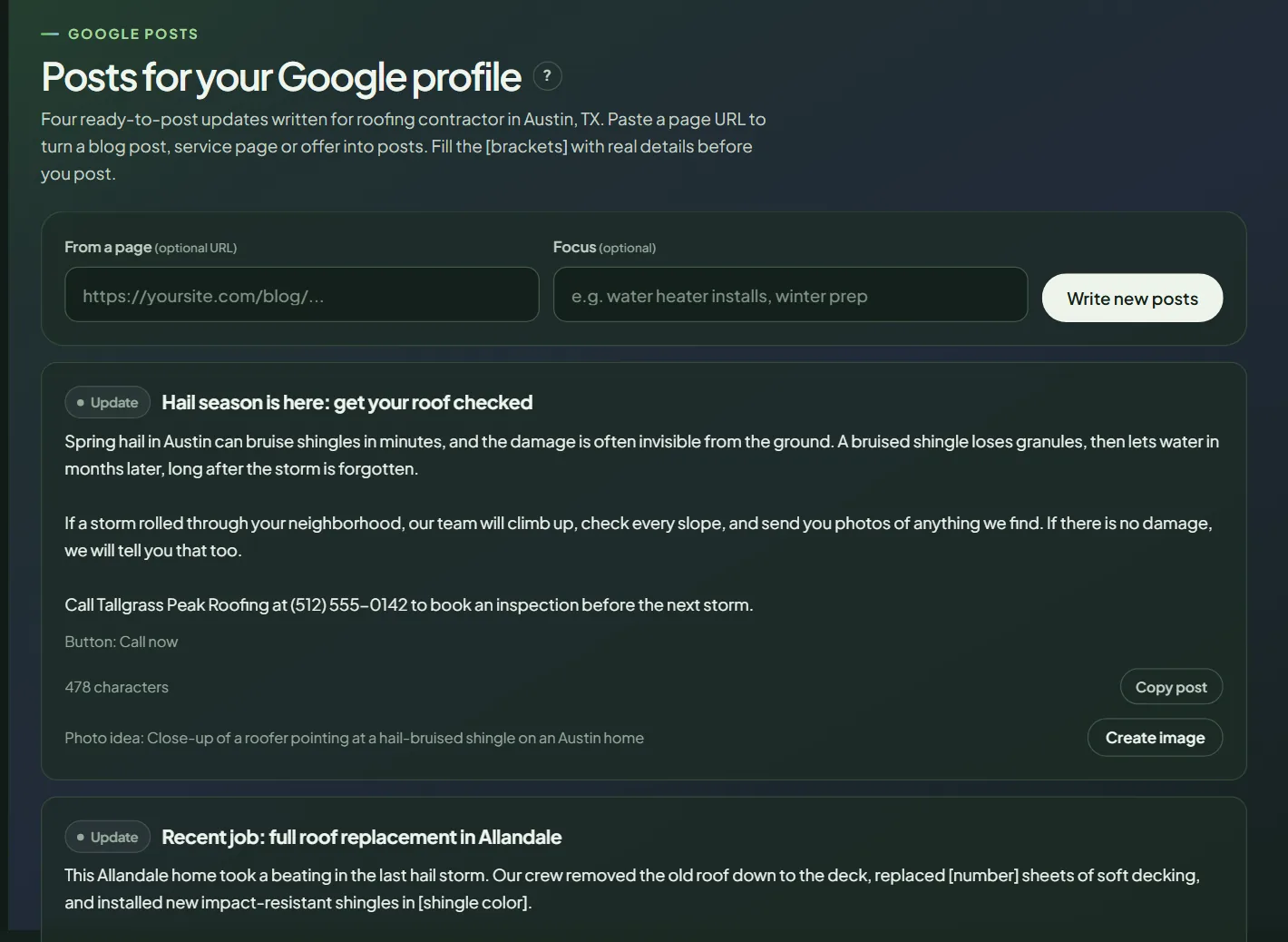 Google posts for a sample business.
Write the posts
- In your workspace, open Website in the sidebar, then Google posts.
- Optional: paste a page from your site in From a page. The 4 posts are then based only on that page.
- Optional: add a Focus, for example "water heater installs, winter prep".
- Click Write 4 posts. It runs right away. To get a new set, click Write new posts.
Each post has a type (Update, Offer or Event), a title, 400 to 900 characters of text, a suggested button (Call now, Book, Learn more or Get offer) and a photo idea.
Before you post
- Replace every [bracket] with a real detail: a neighborhood, a date, a price you actually offer.
- Read the post out loud. If it isn't true for your business, change it.
- Click Copy post.
Add an image
Each post has a photo idea. Use a real job photo when you have one. If you don't, click Create image for an AI image (30 credits), then Download it. Pack Leader labels it as AI-generated.
Publish on Google
Open your Google Business Profile, add a post, paste the text, add the photo and the button, and publish. Pack Leader doesn't publish or schedule posts for you. Each set uses credits from your balance: see how credits work.
Ideas for more posts: the weak spots in your competitor reviews have a Write posts about this button. For longer content, draft location pages.
Frequently asked questions
Does Pack Leader publish posts to Google?
No. Copy each post and publish it from your Google Business Profile.
Can I schedule posts?
Not in Pack Leader. Write a set when you need it and publish them over the following weeks.
Should I use the AI image?
A real photo of your work is always better. Use an AI image only when you don't have one that fits.
Related articles
- How to analyze a competitor's Google reviews in Pack LeaderCompare your Google reviews with your top competitor's: what customers praise and complain about, their weak spots, and the topics to invite.
- How to find and draft location pages in Pack LeaderFind the towns your top competitors have pages for and you don't, then draft a full page with schema and a hero image, and edit it before you publish.
- How credits work in Pack Leader, and what each tool usesHow many credits each Pack Leader tool uses, how many each plan includes, when credits renew, how top-ups work, and what happens when a run fails.