Short answer: open Website > Location pages in your workspace and click Check for gaps. Pack Leader reads your sitemap and your top 3 competitors' sitemaps and lists the cities and areas they have pages for and you don't. Click Draft page next to a gap, or type any city or area, and Pack Leader writes a full page (about 1,000 words or more, with an FAQ, LocalBusiness schema and an AI hero image). Edit it in the editor, then copy the HTML to your website. The gap check uses 3 credits; each draft uses 35 credits.
Find the gaps
- In your workspace, open Website in the sidebar, then Location pages.
- Click Check for gaps, then confirm. It takes 30 to 60 seconds.
One check fills both Location pages and Service pages.
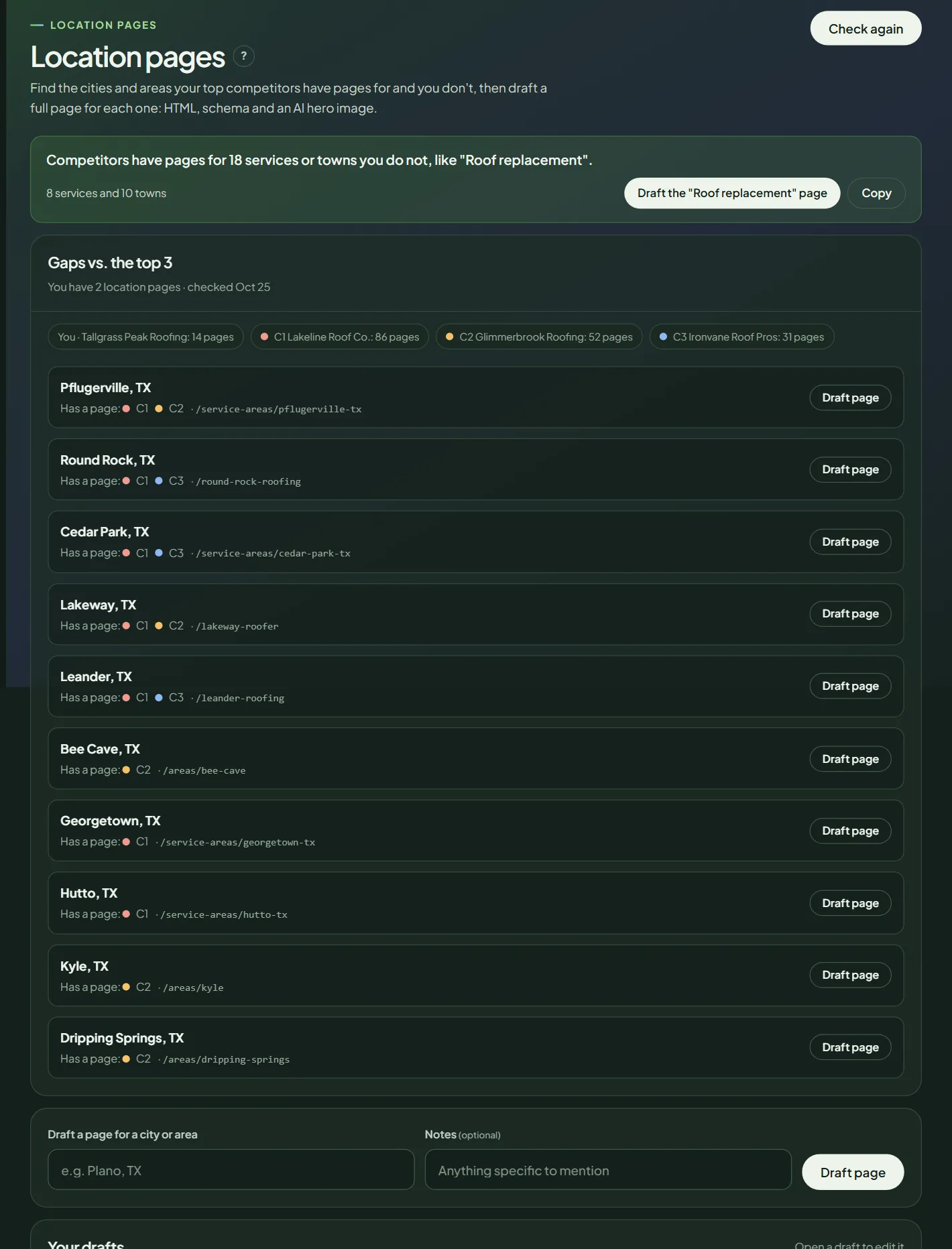 Location page gaps for a sample business.
Each gap shows which competitors have a page for that town, an example of their page address, and a Draft page button. If a site can't be read, its chip says why.
Draft a page
- Click Draft page next to a gap, or type a town in Draft a page for a city or area, for example "Plano, TX".
- Optional: add Notes, such as a job you did there.
- Confirm. Pack Leader writes the page and creates a hero image in about a minute.
Your drafts appear under Your drafts, with Edit and Delete.
Edit before you publish
Open the draft with Edit. The editor is the same for location and service pages; see the editor screenshot.
- Title tag (up to 60 characters), Meta description (up to 155) and URL slug.
- Hero image: Download, or create a new one (30 credits).
- Visual and HTML tabs to edit the text.
- Before you publish: the real proof to add, such as license numbers, local job photos and reviews from that town.
- Schema (JSON-LD): the code to add to the page, with Copy.
Click Save (or Ctrl+S / Cmd+S). The editor warns you before you leave with unsaved changes.
Publish it
Click Copy HTML and paste it into your website editor, or Download .html. Add the schema, upload the hero image, publish, and link to the page from your service area or home page.
Check how you rank in that town afterwards with a local grid, and close the other gaps in your gap report. What makes a town page worth having is in local landing pages that are not doorway pages.
Frequently asked questions
Can I publish the draft as it is?
Don't. Add real details first, like jobs you did in that town, photos and reviews from customers there. The editor's "Before you publish" list shows what to add.
How many location pages should I make?
One for each town you really serve and want to win, starting with the ones your competitors already have pages for. Thin pages that only swap the town name rarely help.
How do I get the page onto my website?
Click Copy HTML and paste it into your website editor, or Download .html. Add the schema code from the editor to the page too.
Related articles
- How to find and draft missing service pages in Pack LeaderCompare your website's pages with your top 3 competitors', see the services they have pages for and you don't, and draft a full service page.
- How to write Google Business Profile posts in Pack LeaderWrite 4 ready-to-post updates and offers for your Google Business Profile, from your services or from any page on your site, with optional AI images.
- How to read your Pack Leader gap reportWhat the gap score, the Maps ranks, the gap checklist and the action plan in your Pack Leader report mean, and which gaps to fix first.