How to set up Brand identity in Pack Leader
Short answer: Brand identity is where you save your business, the services customers search and your competitors. Every tool in the workspace uses what is saved there: audits, the local grid, reviews, pages and posts. Open Brand identity, fill in your business (or click ✦ Fill in from website), add up to 5 keywords and up to 5 competitors, then click Save identity. Saving uses 0 credits.
Your Brand identity is set up the first time you run a gap audit. Change it whenever your services or competitors change.
The business
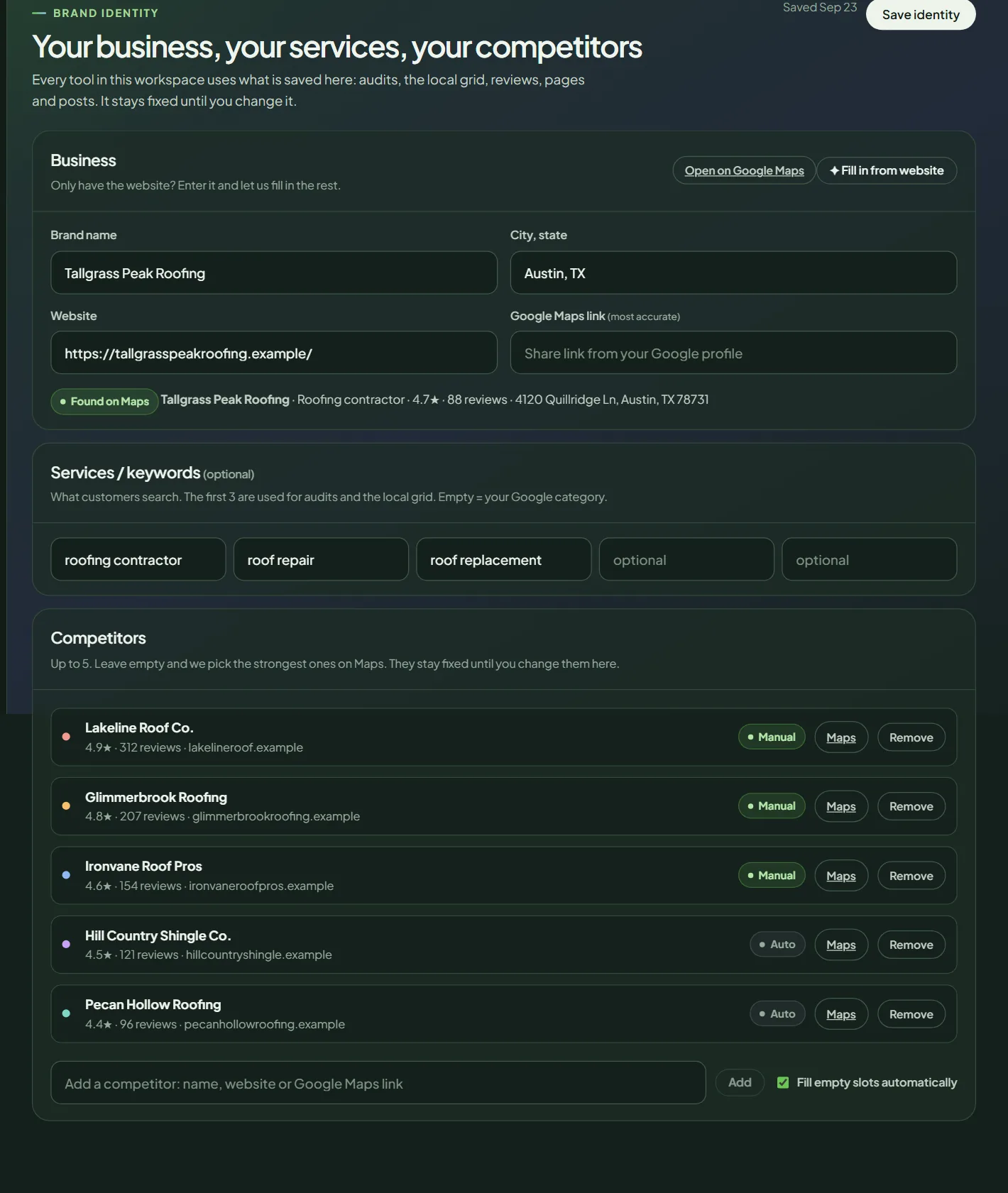 Brand identity for a sample business.
| Field | What to enter |
|---|---|
| Brand name | The name on your Google profile. |
| City, state | The city you serve, for example "Austin, TX". Required. |
| Website | Your homepage address. |
| Google Maps link (most accurate) | The Share link from your Google Business Profile. |
Pack Leader finds your Google profile from the Maps link first, then the name, then the website. Once found, you see a Found on Maps label with your category, rating, reviews and address.
Service area businesses: if your Google profile has no public address, Pack Leader centers grids and competitors on your city. Google ranks these businesses mostly where they serve customers, so pick the city you most want to win.
Fill in from website
Only have a website? Enter it and click ✦ Fill in from website. Pack Leader reads your homepage and contact page, finds your Google profile, suggests up to 5 services and picks 5 competitors. It takes about 30 seconds and uses 0 credits.
It only fills the form. Check everything, then click Save identity. If it can't find your Google profile, paste the Share link in the Google Maps field.
Services and keywords
Add up to 5 services, the words customers type into Google, for example "roof repair". Each needs 3 to 60 characters.
- The first 3 are used for gap audits, the category check and the money map.
- The first one is the default keyword for the local grid.
- All of them are used for AI visibility questions and in your review replies.
Leave them empty and Pack Leader uses your Google category.
Competitors
Up to 5. Add one by name, website or Google Maps link, then click Add. Each card shows the rating, reviews and website, with a Manual, Auto or New label, and a Remove button.
With Fill empty slots automatically on (the default), Pack Leader fills empty slots when you save. It searches Google Maps for your first 3 keywords in your city and picks the businesses that rank highest across them. Your competitors stay fixed until you change them here.
If a name can't be matched, Pack Leader tells you after saving which ones were not found on Maps. Try their Maps link instead.
Save
Click Save identity. You see Identity saved. Every tool now uses it.
- Saving does not run an audit. Click Run a new audit to see the effect.
- The next time a gap audit report opens, Pack Leader runs a new 5×5 grid on your first keyword (10 credits), because the old grids were made with the old identity. See how credits work.
- Audits never change your Brand identity. They only refresh numbers like rating, reviews and photos.
- If the business you enter already has its own workspace, Pack Leader tells you to switch to it from the sidebar instead.
To set up another business, see managing multiple businesses.
Frequently asked questions
Does saving Brand identity use credits?
Saving uses 0 credits and Fill in from website uses 0. Tools you run afterwards use credits as usual.
Does saving run a new audit?
No. After you save, click Run a new audit to see a report with your new keywords and competitors.
How many competitors can I track?
Up to 5 per business. Leave slots empty and Pack Leader fills them with the strongest businesses on Google Maps.
Why does Pack Leader say it can't find my business?
The most reliable fix is the Share link from your Google Business Profile. Paste it in the Google Maps link field and save again.
Related articles
- How to run a gap audit in Pack LeaderRun a Pack Leader gap audit in about 30 seconds. What to enter, how competitors are chosen, what it costs in credits, and what to do if it fails.
- How to run a local grid scan (and read the colors)Run a Pack Leader local grid to see your Google Maps rank point by point around your business, read the colors, and find out why you miss the 3-pack.
- How to manage multiple businesses in Pack LeaderAdd a business, switch between businesses, and see how many each Pack Leader plan includes. Credits are one balance across all your businesses.