Short answer: open Reviews > Get reviews in your workspace, pick a tone, and click Write my messages. You get your direct Google review link, 3 text messages to send right after the job, a reminder for 3 days later, an email, replies for 5 star and 1 to 2 star reviews, and tips. Replace {first_name} and {review_link} and send them from your own phone or email. Credits: 1 per kit.
More reviews is one of the most common gaps in a gap report. The easiest way to close it is to ask every customer, every time.
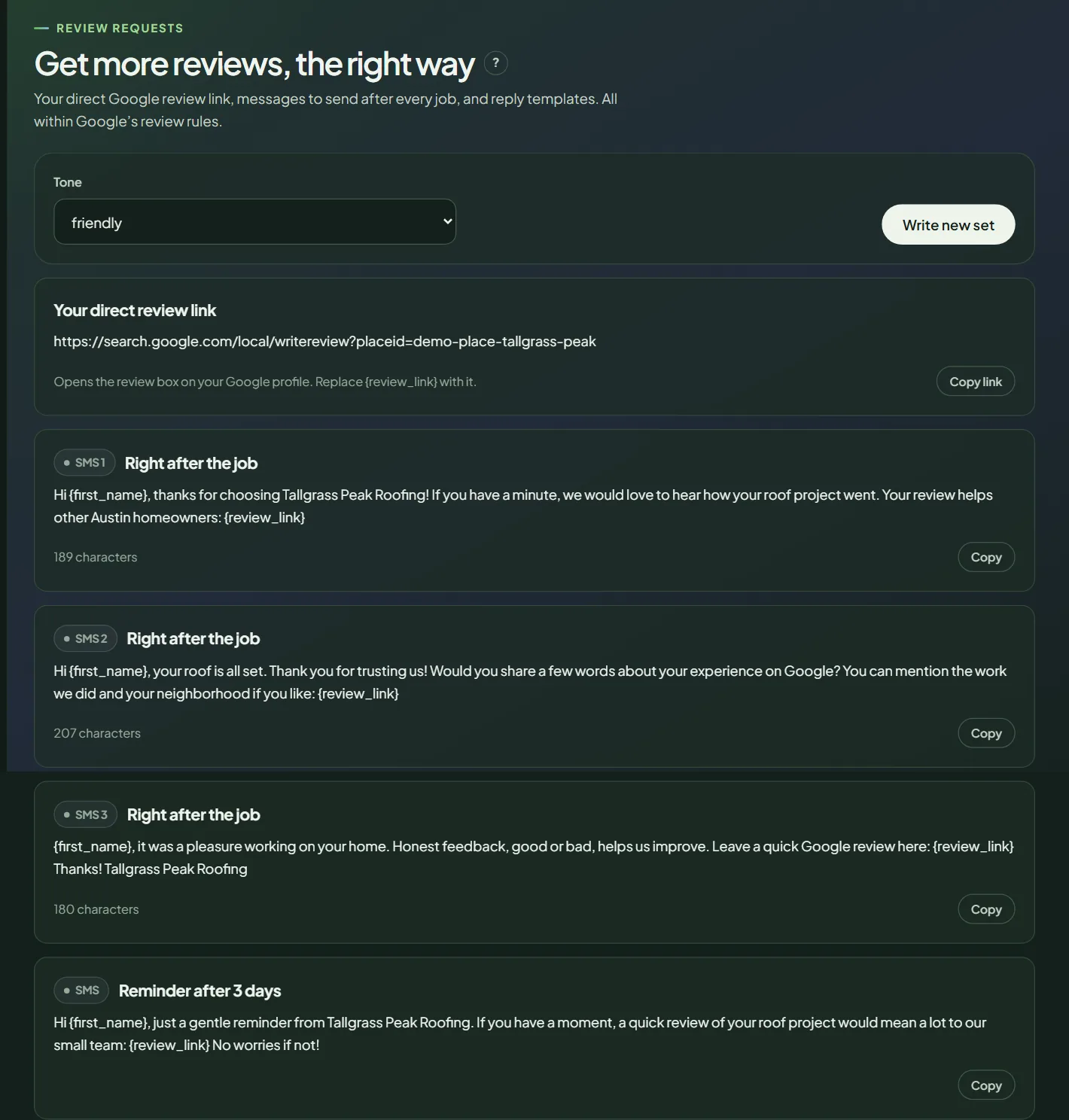 A review kit for a sample business.
Get your kit
- In your workspace, open Reviews in the sidebar, then Get reviews.
- Pick a Tone: friendly, professional, short and direct, or family business, personal.
- Click Write my messages. It runs right away. For another version, click Write new set.
What's in the kit
- Your direct review link, with Copy link. It opens the review box on your Google profile. To print it, use the Google review QR code generator.
- SMS 1 to 3, to send right after the job. Pick the one that sounds like you.
- Reminder after 3 days, for customers who haven't left a review yet.
- An email, with a subject line.
- Reply to a 5★ review and Reply to a 1-2★ review, as starting points.
- Tips on when and how to ask.
Topics from your competitor reviews can be added with Use in review requests, so the messages invite customers to mention what matters.
Send them the right way
- Send the text the same day you finish the job, while the customer is happy.
- Replace {first_name} and {review_link} before you send.
- Ask every customer. Don't pick only the happy ones, and never offer anything in return: both break Google's rules. See review gating.
For replies to the reviews you get, use review replies. For more wording, see our review request email templates.
Frequently asked questions
Does Pack Leader send the messages?
No. Copy each message and send it from your phone, email or job software.
Can I offer a discount for a review?
No. Google's rules don't allow incentives for reviews. Ask every customer, not only the happy ones, and let them write what they want.
What is the direct review link?
A link that opens the review box on your Google profile, so the customer can rate you in one tap.
Related articles
- How to write replies to your Google reviews in Pack LeaderLoad your Google reviews, write a reply to each one or to all unanswered reviews at once, then copy each reply into your Google Business Profile.
- How to analyze a competitor's Google reviews in Pack LeaderCompare your Google reviews with your top competitor's: what customers praise and complain about, their weak spots, and the topics to invite.
- How to read your Pack Leader gap reportWhat the gap score, the Maps ranks, the gap checklist and the action plan in your Pack Leader report mean, and which gaps to fix first.