How to check your Google Business Profile categories in Pack Leader
Short answer: open Categories in your workspace and click Check my categories. Pack Leader looks at the top 20 businesses on Google Maps for each of your keywords, counts which categories the winners use, and tells you whether to keep or change your primary category, which secondary categories to add or remove, and which services to list on your profile. It uses 5 credits and takes about 20 seconds.
Your categories are one of the strongest Google Maps ranking signals, so this is one of the cheapest checks with the biggest effect.
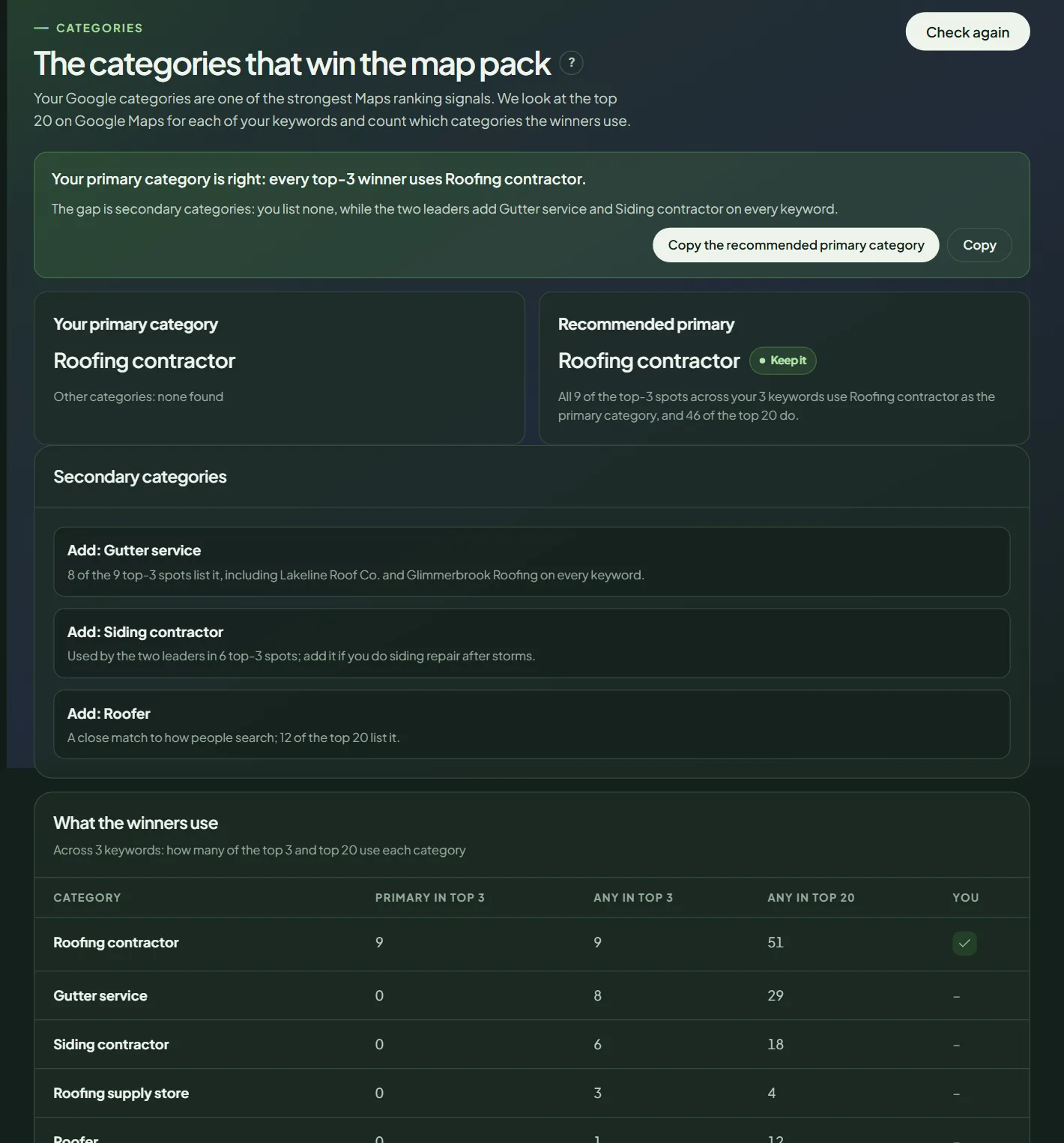 A category check for a sample business.
Run the check
- In your workspace, open Categories.
- Click Check my categories. It runs right away, without a confirmation step.
- To run it again later, click Check again.
Pack Leader uses the first 3 keywords in your Brand identity and searches around your business location.
Read the result
- Your primary category and your other categories, as Google shows them.
- Recommended primary, with Keep it or Change it.
- Secondary categories: categories to Add, with the reason, and categories to Remove because they do not fit what the winners use for your keywords.
- What the winners use: the top categories with how many businesses use each as their primary in the top 3, in the top 3 at all, and in the top 20, and a check mark when you have it.
- Services to list on your Google profile: a ready list with a Copy list button.
- Your keywords on Maps: your rank for each keyword and the categories of the top 3.
Change your categories
- Open your Google Business Profile and edit your categories.
- Set the recommended primary category if it fits your business.
- Add the secondary categories that truly describe what you do. Don't add categories for services you don't offer.
- Add the services from the list.
- Run a gap audit or a local grid after 1 to 3 weeks to see the effect.
Frequently asked questions
How fast do category changes affect rankings?
Pack Leader's note says rankings usually react within 1 to 3 weeks after you change categories in your Google Business Profile. It can vary.
Does Pack Leader change my categories?
No. It recommends them. You change categories yourself in your Google Business Profile.
How many categories should I use?
Only the ones that truly describe your business. Google's guidelines ask you to choose the fewest categories that describe your overall core business.
Related articles
- How to build a money map in Pack LeaderSee the monthly searches, the Google Ads value and the jobs you miss outside the Maps 3-pack for every service you sell, and set your own job values.
- How to set up Brand identity in Pack LeaderSet your business, keywords and competitors once in Brand identity, and every Pack Leader tool uses them. Fill it in from your website for free.
- How to read your Pack Leader gap reportWhat the gap score, the Maps ranks, the gap checklist and the action plan in your Pack Leader report mean, and which gaps to fix first.